Robot This Book Belongs To: Optimizing Your KDP Interior for Print Quality
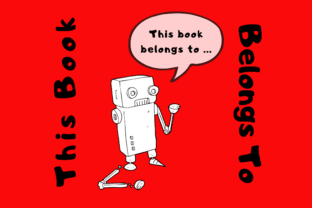
When designing a low-content or medium-content book for Amazon KDP, the ownership page is often treated as an afterthought. However, for a niche title like Robot This Book Belongs To, this single page serves as both a functional utility and a critical test of your technical formatting skills. Creators targeting robotics enthusiasts, STEM educators, and tech hobbyists understand that the aesthetic must match the theme. Yet, many publishers encounter frustration when their digital designs fail to translate correctly to the physical 8.5×11 trim size without bleed. Understanding the specific constraints of this format is essential to ensuring your book looks professional rather than amateurish upon arrival.
The Technical Reality of No-Bleed Interiors
The most frequent error occurs when designers misunderstand what "no bleed" actually entails for an 8.5×11 inch book. In a no-bleed configuration, Amazon KDP requires a mandatory safety margin. Content cannot extend to the very edge of the paper. If you are creating a Robot This Book Belongs To page featuring robotic arm graphics, circuit board patterns, or futuristic borders, these elements must remain at least 0.375 inches (9.6 mm) away from the top, bottom, and outside edges. The inside gutter margin varies based on page count, but for standard journals, maintaining a 0.5-inch buffer is a safe baseline.
Ignoring these margins results in two negative outcomes. First, KDP’s automated review system may flag your PDF, delaying publication. Second, if the content barely passes review but sits too close to the trim line, the physical cutting process—which has a mechanical tolerance—may slice into your robot illustrations or text. A partially severed graphic on an ownership page immediately signals poor quality control to the buyer. Always design with the final trimmed size in mind, not the full canvas size. Set up your document guidelines in Canva, Affinity Publisher, or InDesign before placing a single pixel to visualize the safe zone.
Balancing Thematic Design with Functional Utility
A common misconception is that a themed ownership page should be purely decorative. While a complex, shading-heavy robot illustration might look stunning on screen, it can become counterproductive in print. For a book intended to be used by students, engineers, or hobbyists, the primary function of this page is identification. Overly dark backgrounds or intricate line work can obscure the writing space. Users need high contrast to write names, contact information, or lab notes clearly.
Consider the ink coverage limitations of standard KDP printing. Large areas of solid black or dark grey can sometimes appear streaky or cause paper cockling (warping) depending on humidity and paper stock. Instead of filling the entire page with heavy robotic textures, utilize negative space effectively. A clean, minimalist line-art robot border with ample white space for user data is often superior to a dense, full-page render. This approach not only ensures better print fidelity but also respects the user's need for a practical tool. When evaluating your design, ask yourself if the aesthetic enhances the utility or competes with it.
Typography and Readability in Tech Themes
Selecting fonts for a robotics theme presents another pitfall. Many creators default to stylized, futuristic typefaces that mimic digital displays or sci-fi interfaces. While thematic, these fonts often suffer from poor legibility at smaller sizes or when printed in grayscale. If the phrase "This Book Belongs To" is rendered in a jagged, distressed font, it may become illegible. Furthermore, some users may have visual processing difficulties that make non-standard typography challenging to read.
A better approach involves pairing a thematic display font for headers with a highly readable sans-serif font for instructional text or labels. Ensure your font choices are commercially licensed for print use. Using free fonts without verifying commercial rights can lead to copyright issues down the line. Test your typography by printing a sample page at 100% scale on a home printer before uploading. What looks crisp on a high-resolution monitor may appear muddy or too faint in standard black-and-white ink. Adjust stroke weights and spacing based on physical proofs, not digital previews.
File Preparation and Upload Verification
Even with perfect margins and balanced design, technical file errors can ruin a Robot This Book Belongs To interior. KDP requires PDFs for print interiors to preserve layout integrity. Uploading JPG or PNG files for book interiors is a critical mistake that leads to compression artifacts and sizing shifts. Ensure your export settings are configured for print-ready PDF/X-1a or high-quality print standards with embedded fonts. Outlined text prevents font substitution errors, but keep a live-text backup file for future edits.
Color profile management is equally vital. If your robot graphics were created in RGB (screen color), they will shift when converted to CMYK or grayscale during printing. Neon greens and bright blues often translate to dull greys in black-and-white interiors. Design in grayscale from the start if your book is black-and-white. This guarantees that the contrast levels you see on screen match the final product. If using color interiors, verify that your rich blacks are composed correctly to avoid registration issues where colors misalign during the printing process.
Evaluating User Experience Before Publishing
Before finalizing your upload, conduct a usability assessment specific to your target audience. Robotics books are often used in workshops, labs, or classrooms where environments can be messy or dimly lit. Does the ownership page provide enough space for additional notes, such as project codes, safety certifications, or library tracking numbers? A rigid, tiny box limits functionality. Consider adding structured fields relevant to the niche, such as "Lab Station," "Course Code," or "Build Version."
Additionally, review the placement of this page within the manuscript. Standard publishing convention places the ownership page immediately after the title page and before the table of contents or introduction. Placing it at the back of the book or in the middle disrupts user flow and diminishes its purpose. Consistency with industry standards helps readers navigate your book intuitively. By treating the Robot This Book Belongs To page as a deliberate component of the user experience rather than mere filler, you elevate the perceived value of the entire publication. Attention to these technical and functional details distinguishes professional KDP publishers from casual uploaders, ultimately leading to better reviews and sustained sales.